



It provides information about the actual start time of activities, based on when the employee turns on the machine.
Although it does not replace the company’s official time clock, the report serves as an informative reference for start and end times of the workday, and also displays the total idle time recorded throughout the day.
💡 Tip: Use this report to compare the real computer usage time with the official time clock and identify the total idle time for each day.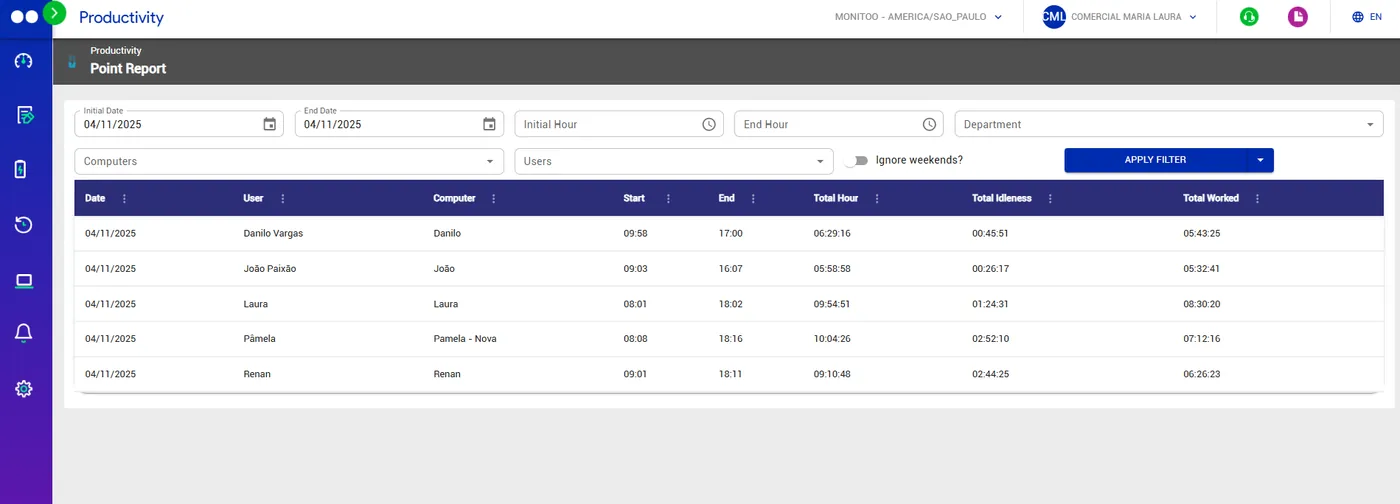
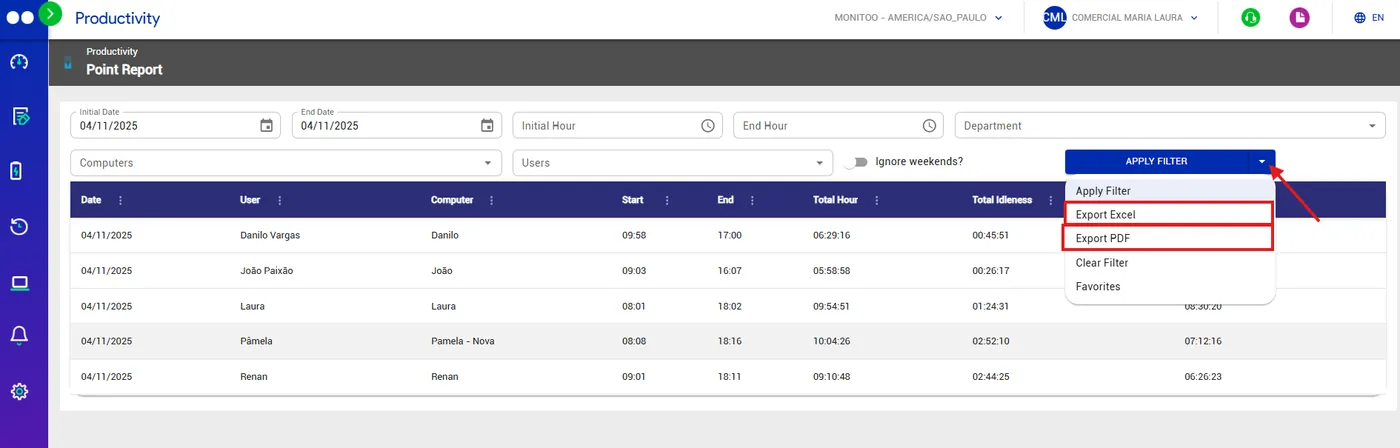
The time clock report can be exported in Excel or PDF, offering different ways to view the information.
To do this, simply click the arrow next to the “Apply Filter” button, as shown in the image below:
Great! Thanks for your feedback.
Tell our team what was missing: contact support on WhatsApp.
