



Monitoo calculates employee productivity based on real computer usage data combined with salary information previously registered in the platform. This approach provides a more accurate analysis of how productive and unproductive time impacts labor costs.
Registering Salary Information
To ensure the productivity calculation is accurate, you must register the following employee information:
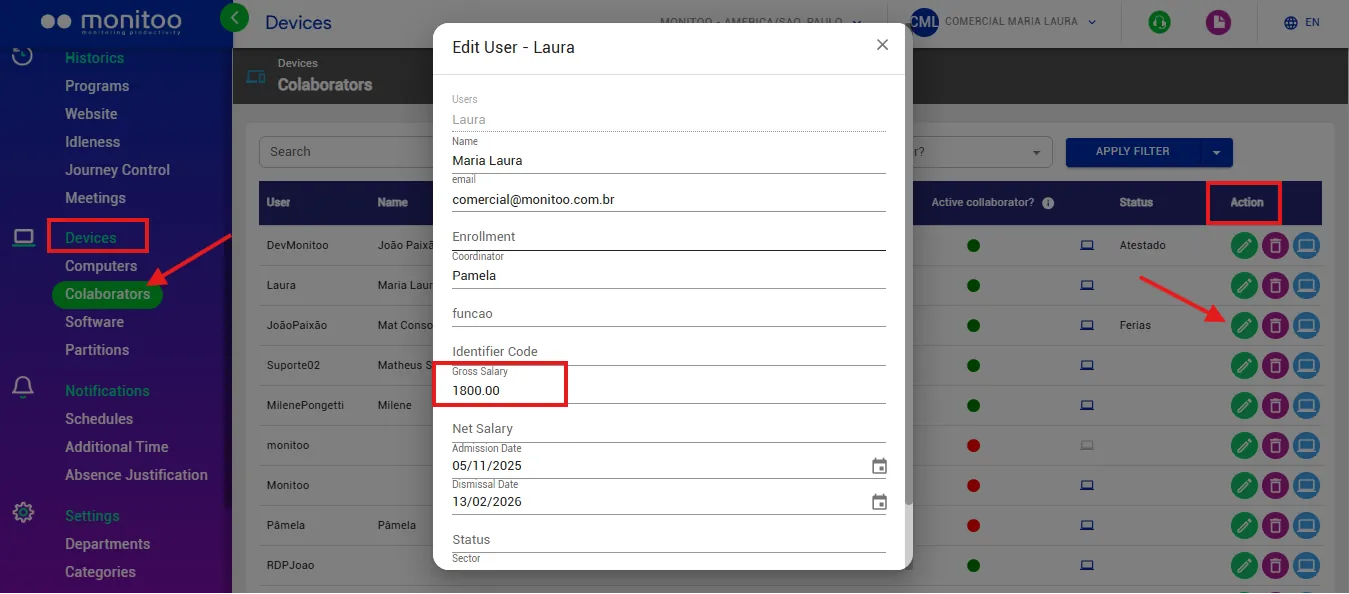
Gross salary, under Devices > Employees
This information is entered directly in the employee's profile and serves as the basis for converting productive and unproductive time into financial values.
See the examples below:
Estimated Working Days per Month
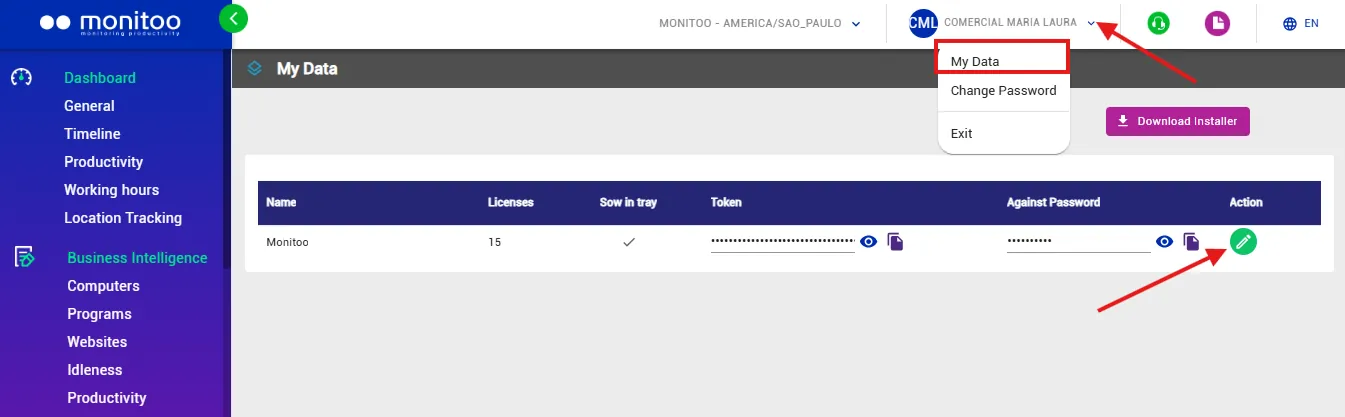
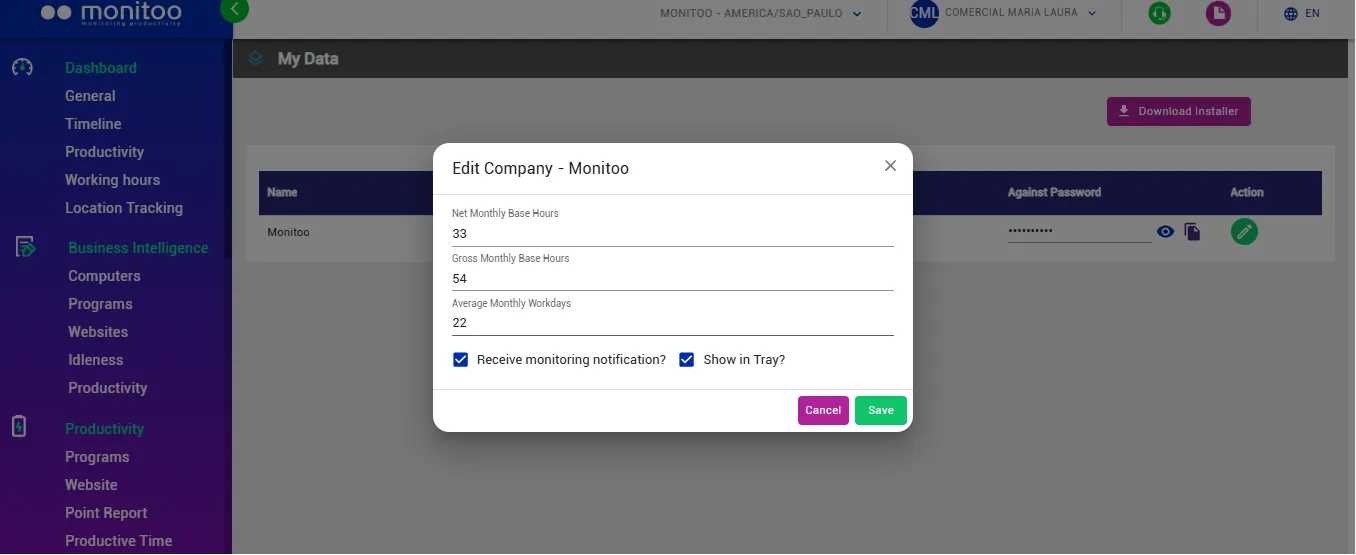
Go to My Profile. Here, you can enter the estimated number of working days per month for each employee.
How the Productivity Percentage Is Calculated
The productivity percentage displayed in Monitoo dashboards is calculated objectively by comparing productive time with the total recorded time during the selected period.
The formula used is:
Productivity (%) = (Total Productive Hours ÷ Total Hours) × 100
Using this calculation, Monitoo provides:
The productivity percentage for each employee or team;
The distribution of time across productive, unproductive, neutral, and undefined activities;
Key indicators that help managers better understand how working time is being used.
This approach enables more strategic, data-driven decisions from both operational and financial perspectives.
Important: When the "Work Schedule Only" option is enabled, the productivity calculation considers only the employee's registered working hours.
In this case, the formula becomes:
Productivity (%) = (Total Productive Hours ÷ Total Scheduled Working Hours) × 100
This ensures a more accurate analysis by excluding activities performed outside the employee's scheduled working hours.
See how:
Great! Thanks for your feedback.
Tell our team what was missing: contact support on WhatsApp.
