We use cookies to ensure you have the best experience on our website. If you continue to use this site, we will assume that you agree with our
Privacy Policies , Use Terms
and cookies.
A lightweight agent on the computer records apps, websites and idle time. Monitoo turns that into dashboards, reports and alerts that answer managers' questions, ethically and in compliance with LGPD.
Productivity score850Human ResourcesIdle time31%Average late arrival+64 min+24 min vs. previous period
Productivity
Does your company measure productivity or just activity?
A timesheet doesn't show how the day was spent. Monitoo shows where time is lost, where the labor risk lies and whether your AI investment has turned into results.
Where time is lost
Apps, websites, idle time and work hours for each team, compared with the previous period.
Labor risk in plain sight
Hours outside the schedule without coverage, Sundays and days over 10 hours, before a lawsuit.
AI use across the team
Who uses ChatGPT, Copilot, Gemini and 38 other tools, and whether it has turned into productivity.
Reports that arrive on their own
Scheduled reports by email and alerts when someone falls below target.
44analysis and BI screens
30+ready-made charts
20+screens with Excel export
6scheduled email reports
Functionalities
Everything you'll find inside
Click each feature to see the screen and what it solves.
01 · Overview
Overview with 8 indicators
Average productivity, schedule adherence, late arrivals, meetings, idle time, unproductive time and hours outside the workday, always compared with the previous period.
Trends and people who need attention on a single screen.
02 · Overview
Productivity score
A score for each person, department and company, so you can track progress without building spreadsheets.
See who has improved and who needs support.
03 · Team
Ranking and timeline
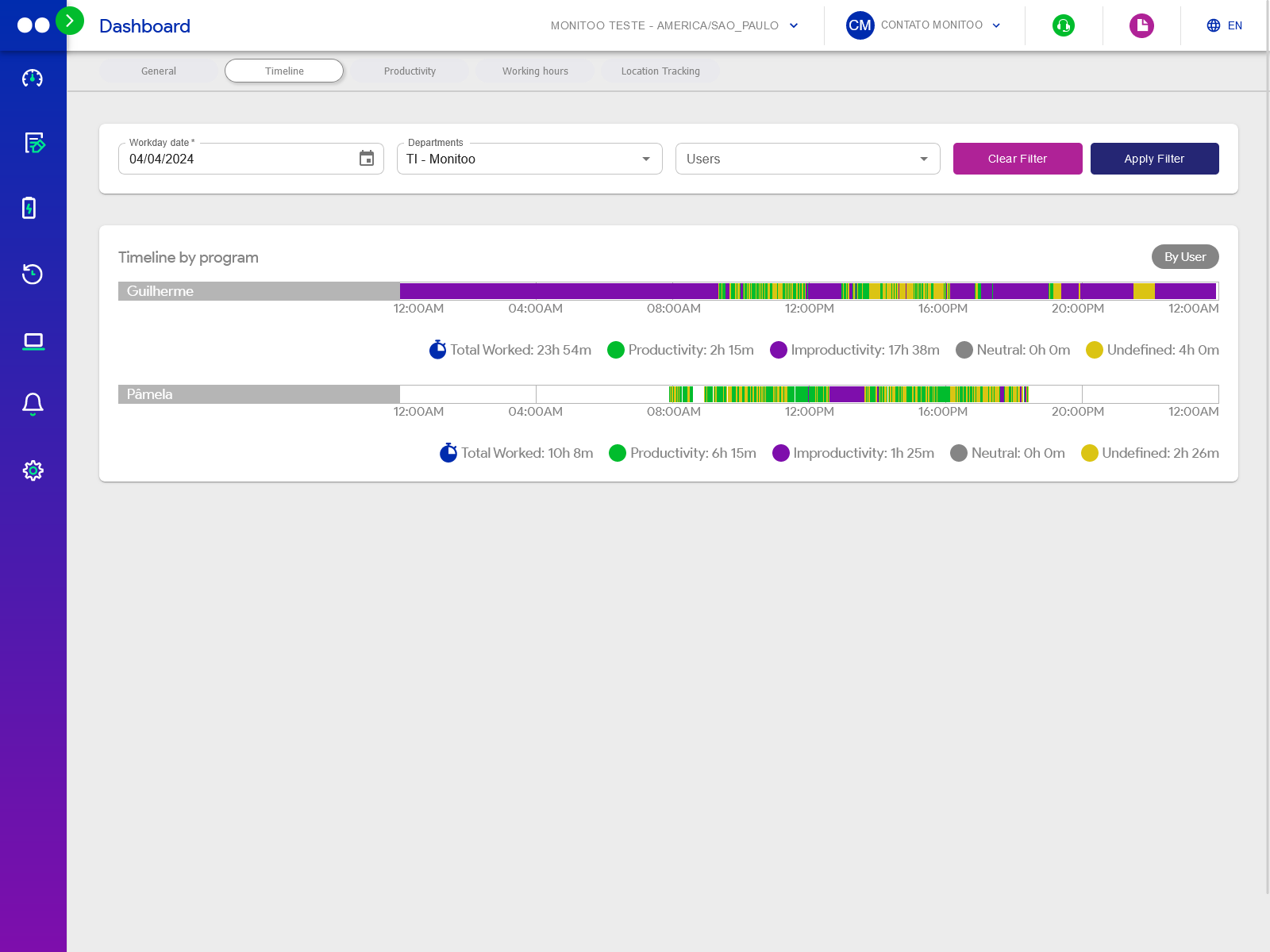
The 10 most and 10 least productive people, plus the day's sequence of apps by person or department.
Recognize quickly and correct with facts, not impressions.
Apps, websites and idle time
04 · Team
Apps, websites and idle time
Productive, unproductive and neutral time by app, website, person, computer and department, with full history.
See what takes up each team's day.
Work schedule
05 · Work hours
Work schedule
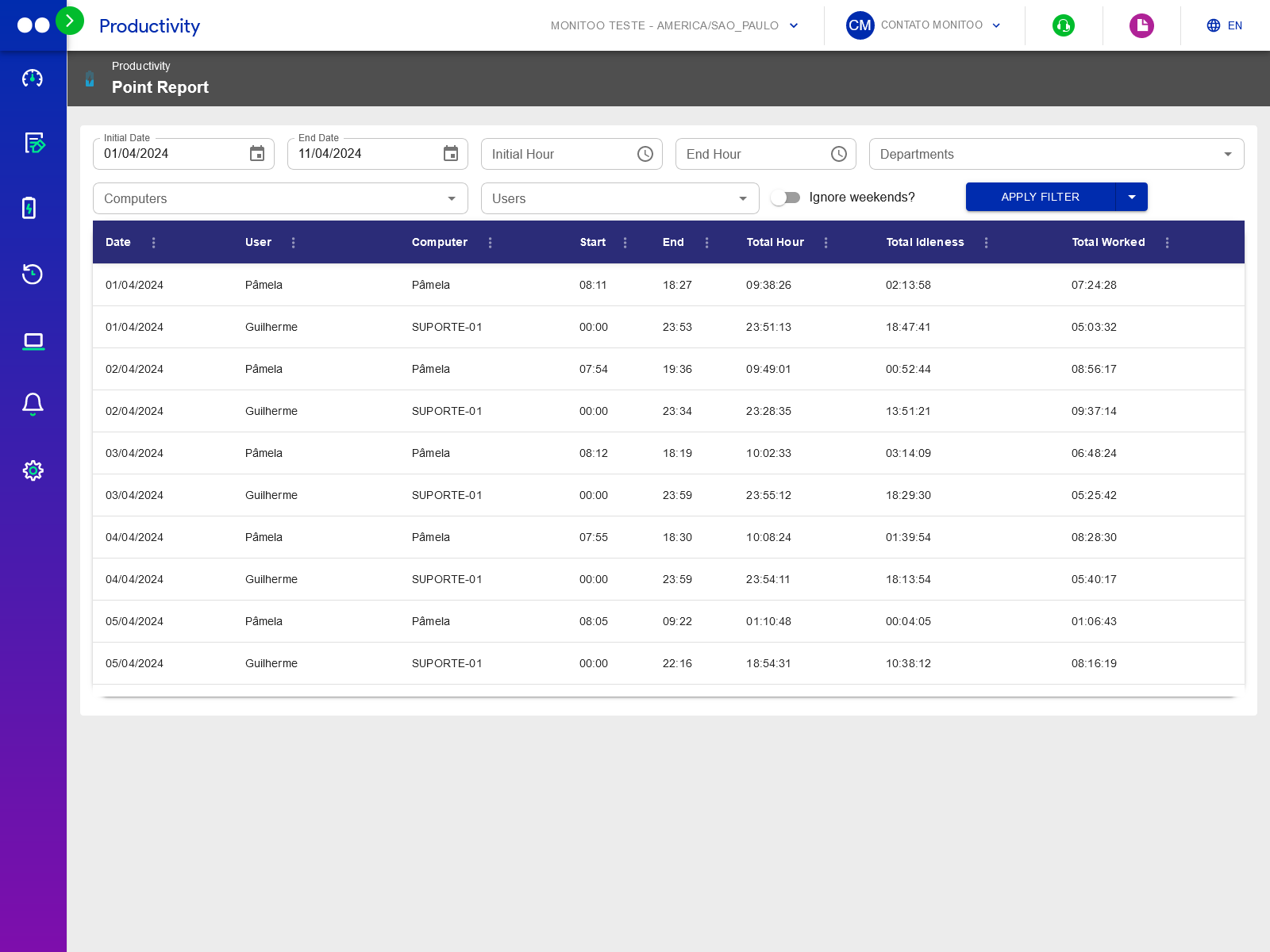
Start and end times, late arrivals and detailed work hours by department, with grace periods and screen lock outside working hours.
The agreed schedule becomes the schedule worked.
06 · Work hours
Overtime and justifications
Employees request overtime or justify an absence right from the agent, and the manager approves or rejects it, even on WhatsApp.
Exceptions on record, not agreed in the hallway.
AI-powered auto classification
07 · Intelligence
AI-powered auto classification
AI suggests whether each app or website is productive for your business. Approve in bulk or let it apply automatically.
Accurate dashboards from the first week.
Labor risks
08 · Intelligence
Labor risks
Six exposure indicators: hours outside the workday without coverage, Sundays, days over 10 hours, average lateness and off-the-clock activity.
Liabilities show up before they become lawsuits.
Market benchmark
09 · Intelligence
Market benchmark
Your company against the median of other companies on 12 indicators covering time, work hours, focus, work model and AI.
Your numbers get an external reference.
AI adoption
10 · Intelligence
AI adoption
Who uses ChatGPT, Copilot, Gemini, Claude and 38 other tools, at what stage, and the effect on each area's productivity.
Find out whether your AI investment is paying off.
Ask Monitoo
11 · Intelligence
Ask Monitoo
Type your question in plain language and get an answer with numbers, using the same calculations as the dashboards.
Analysis in seconds, without opening a report.
Time clock × activity
12 · Integration
Time clock × activity
With Monitoo Ponto (or another time-tracking system), it matches clocked hours against actual computer activity.
The evidence HR needs to fix issues before a dispute.
Automated reports and alerts
13 · Reports
Automated reports and alerts
6 scheduled email reports, more than 20 screens with Excel export, and alerts when someone falls below target.
The information comes to you.
Website blocking and remote work
14 · Also included
Website blocking and remote work
Blocking by website and keyword, data stored while offline, and where each person works: office, home or hybrid.
Control at the office and at home.
Email Notification Scheduling
15
Email Notification Scheduling
Adapt the solution to your company's needs
16
Adapt the solution to your company's needs
Integrate it with other data sources
17
Integrate it with other data sources
System Customization
18
System Customization
Development of Custom Indicators
19
Development of Custom Indicators
Longer history storage time
20
Longer history storage time
21
Employee Productivity Score
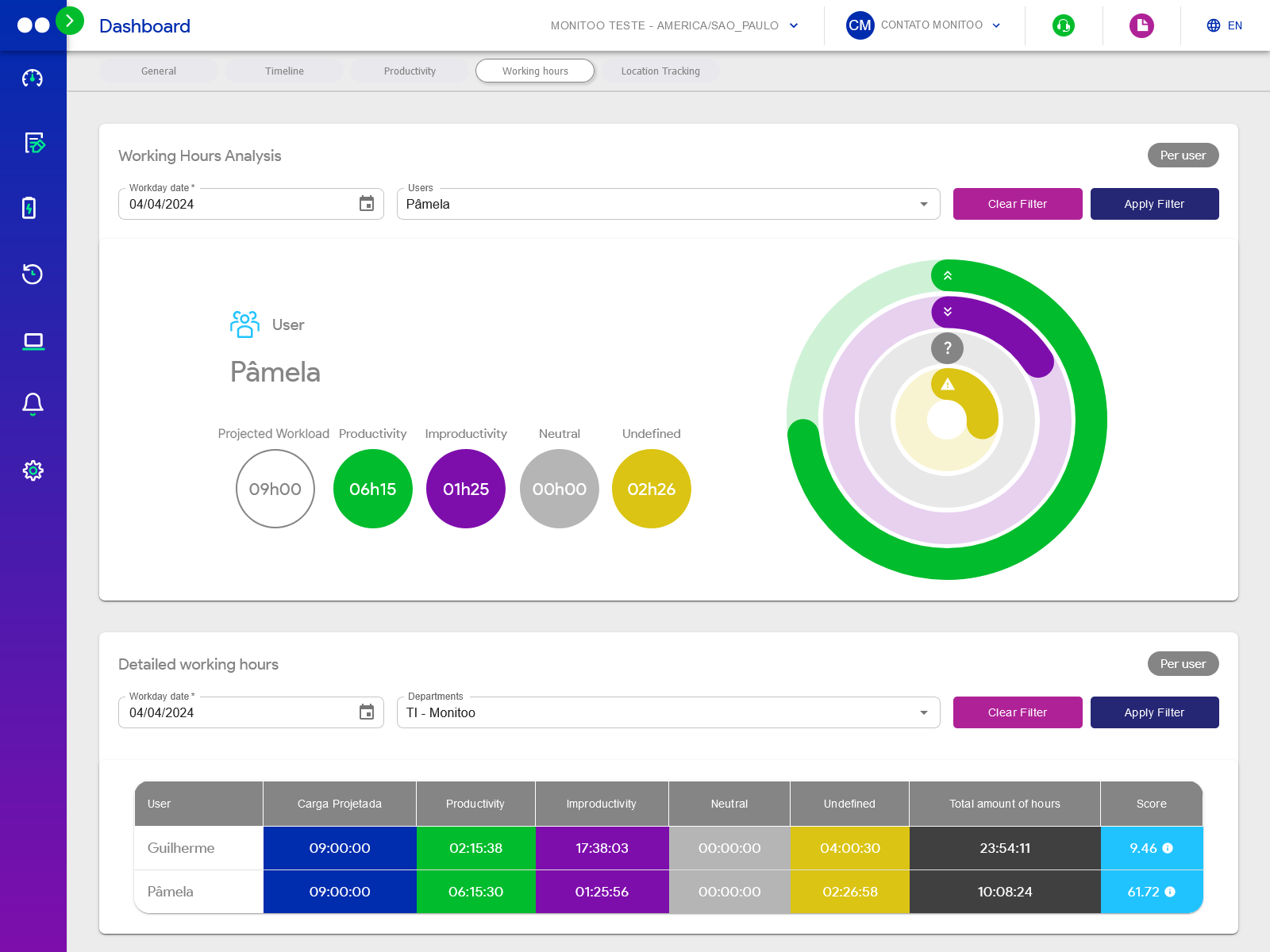
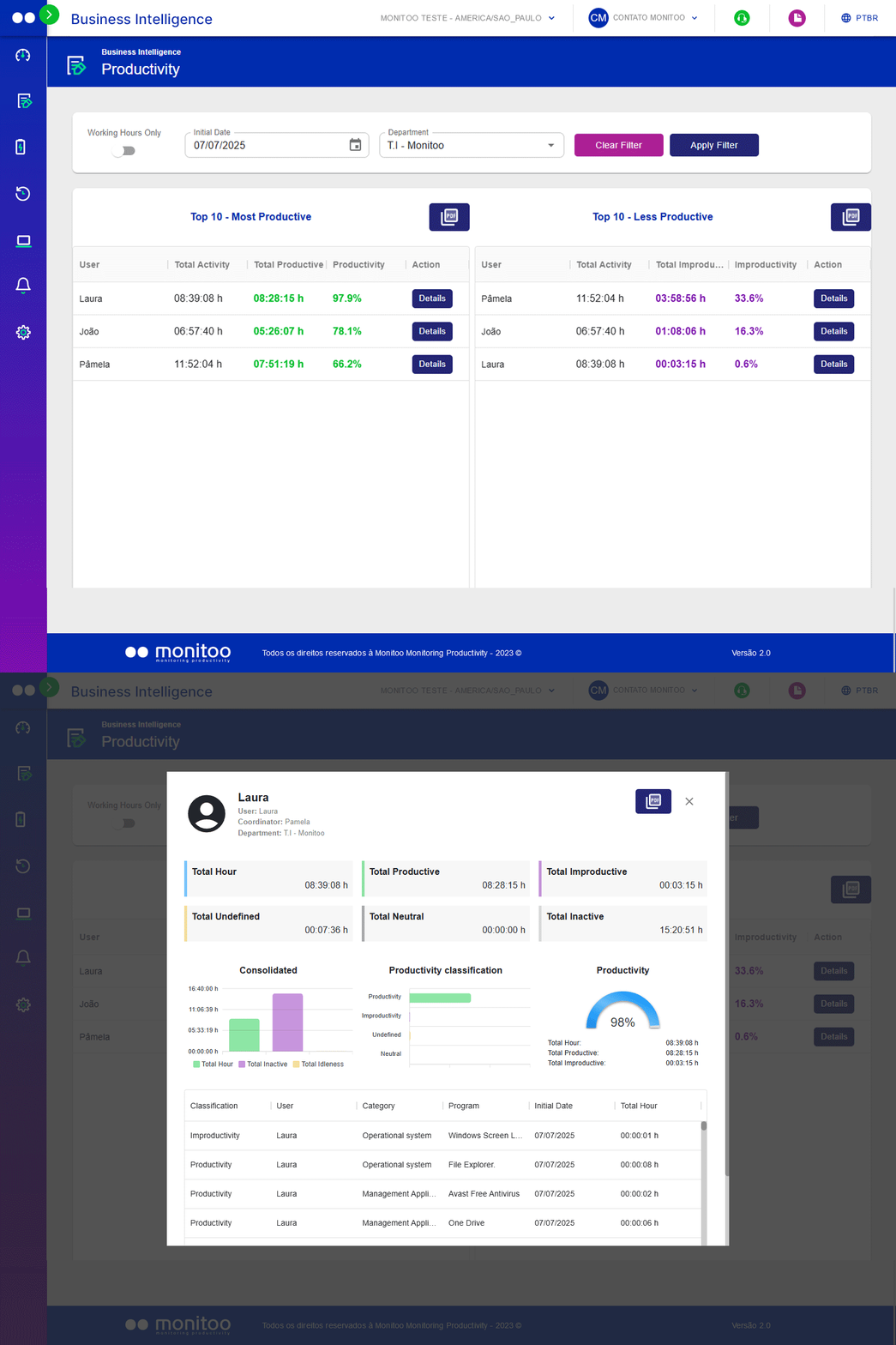
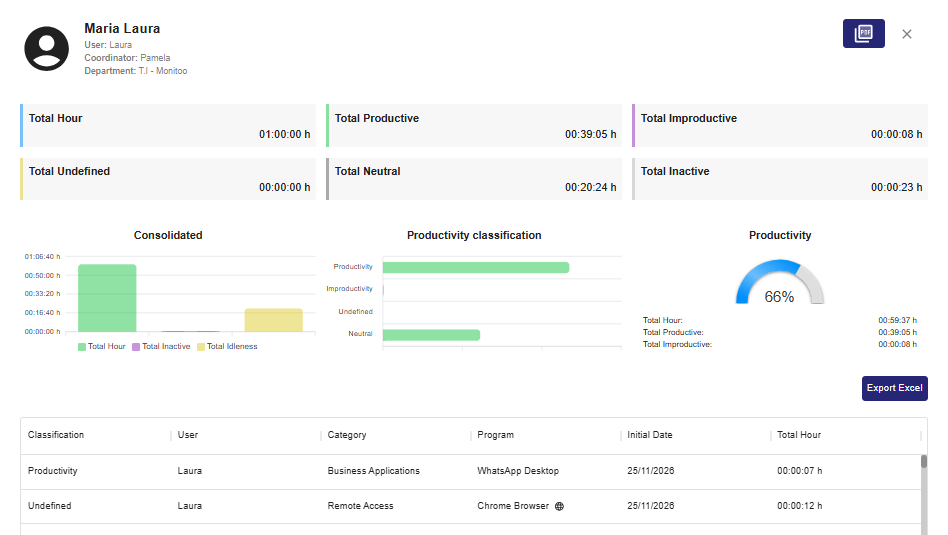
The Productivity Score clearly shows each employee’s performance level throughout the day. Monitor productive, unproductive, neutral and undefined hours to support better management and decision-making.
22
Productivity Ranking
The Productivity Ranking displays the top 10 most productive and bottom 10 least productive employees, with detailed time and percentage metrics. Ideal for spotting high performers and areas that need improvement.
23
Analysis of Productive and Unproductive Hours
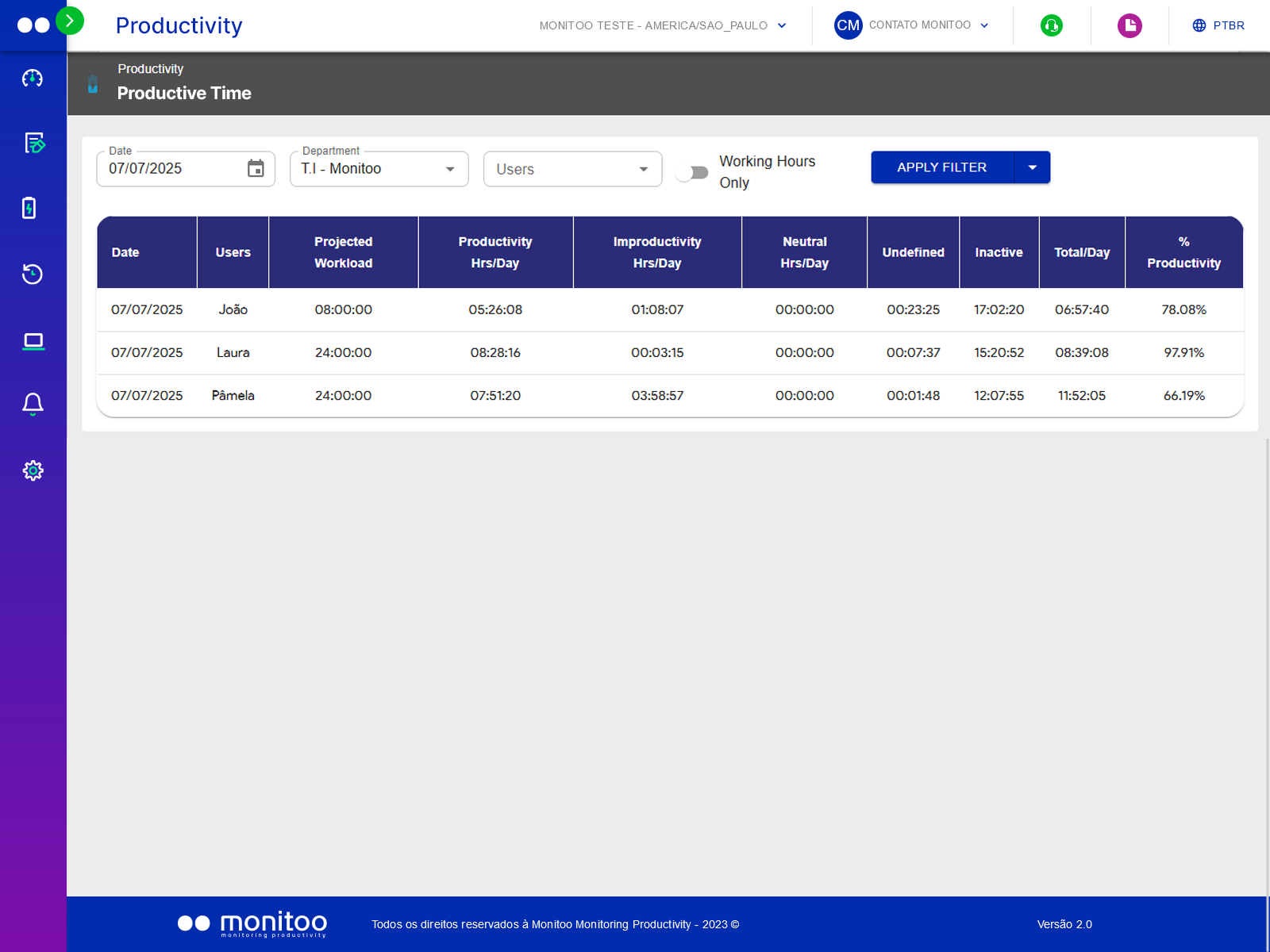
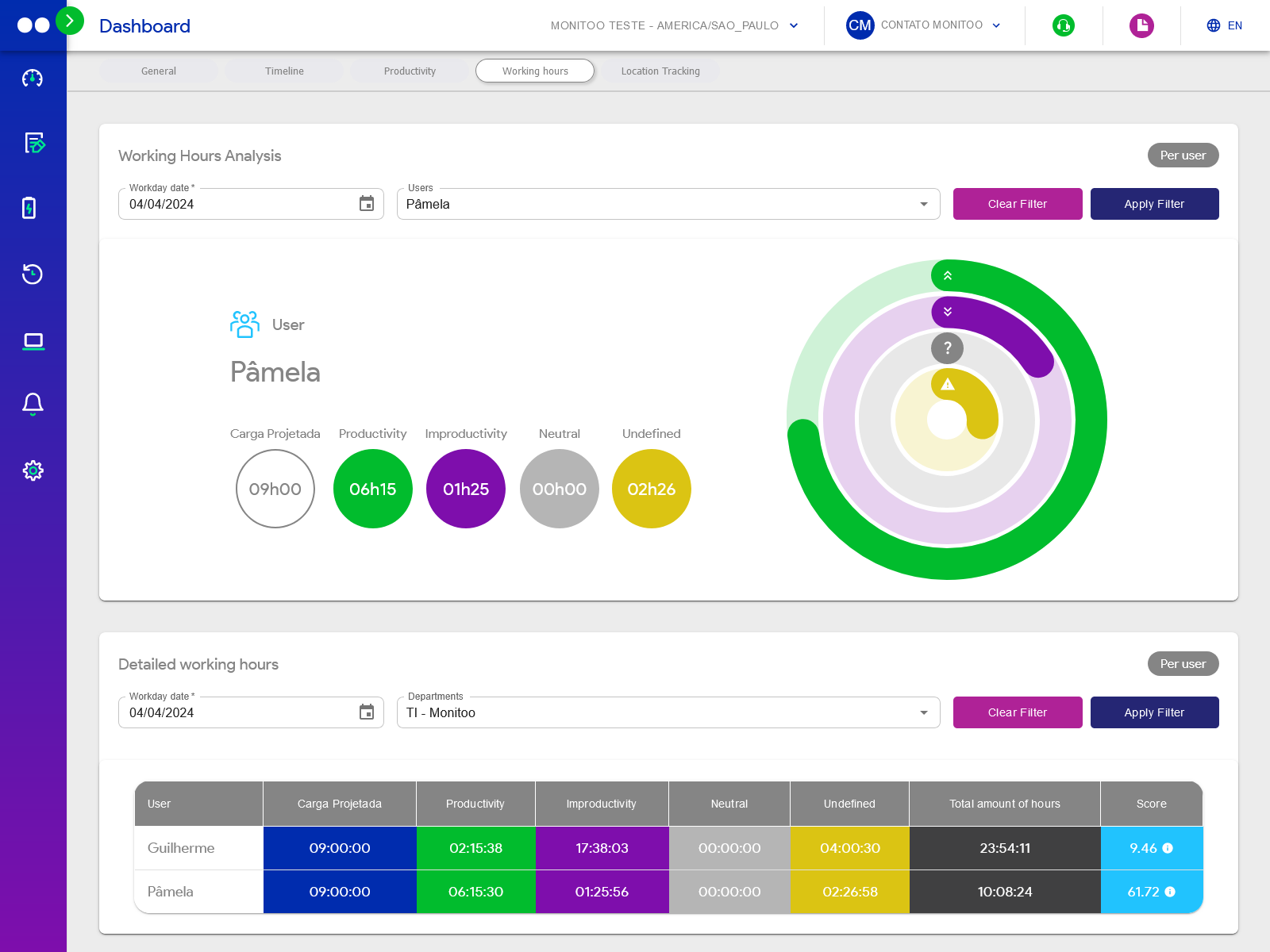
Clearly see how each employee’s time is distributed across productive, unproductive, neutral, undefined, and inactive hours. An essential tool to identify work patterns, boost efficiency, and guide strategic decisions.
24
Working Hours Control
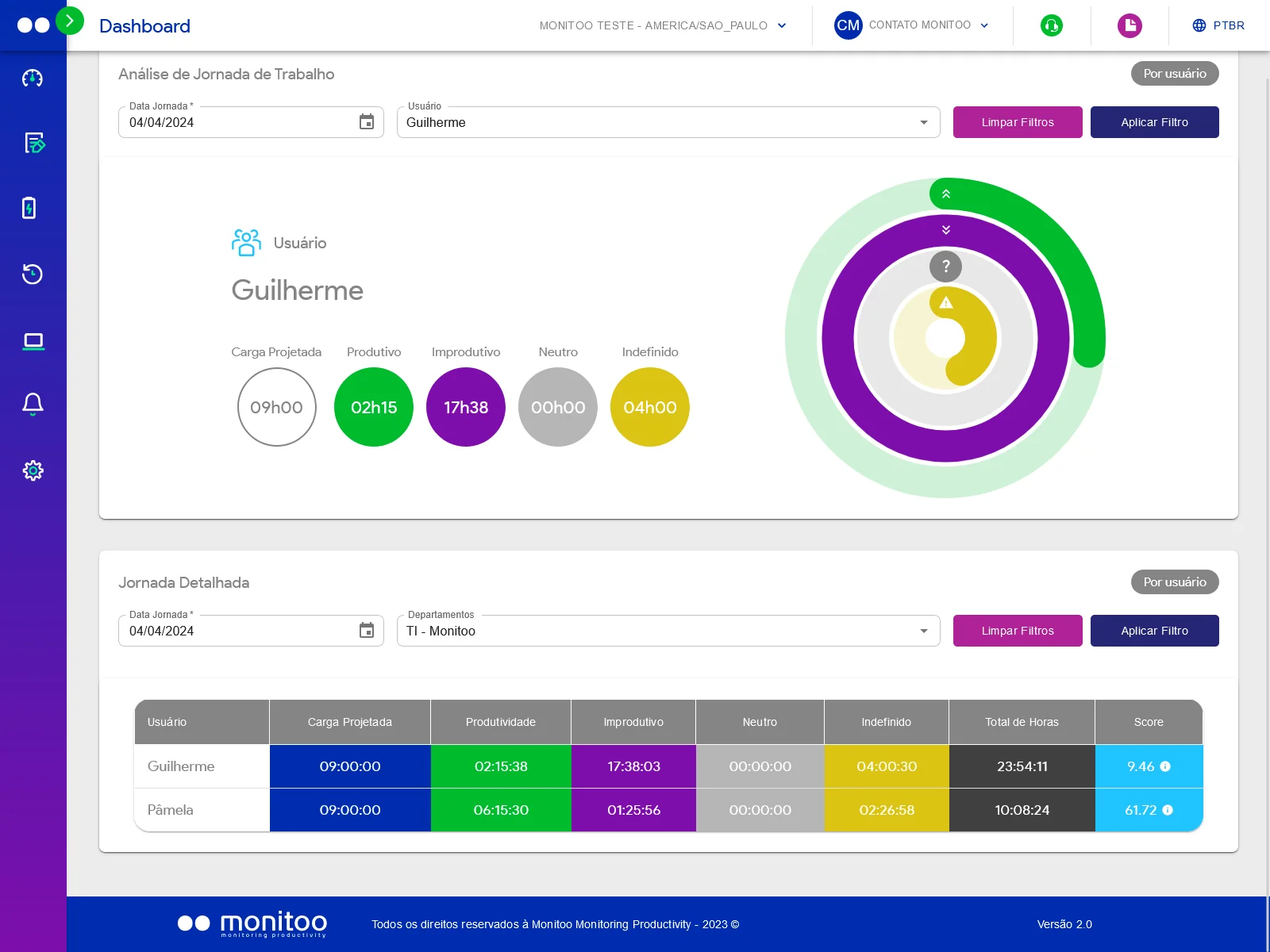
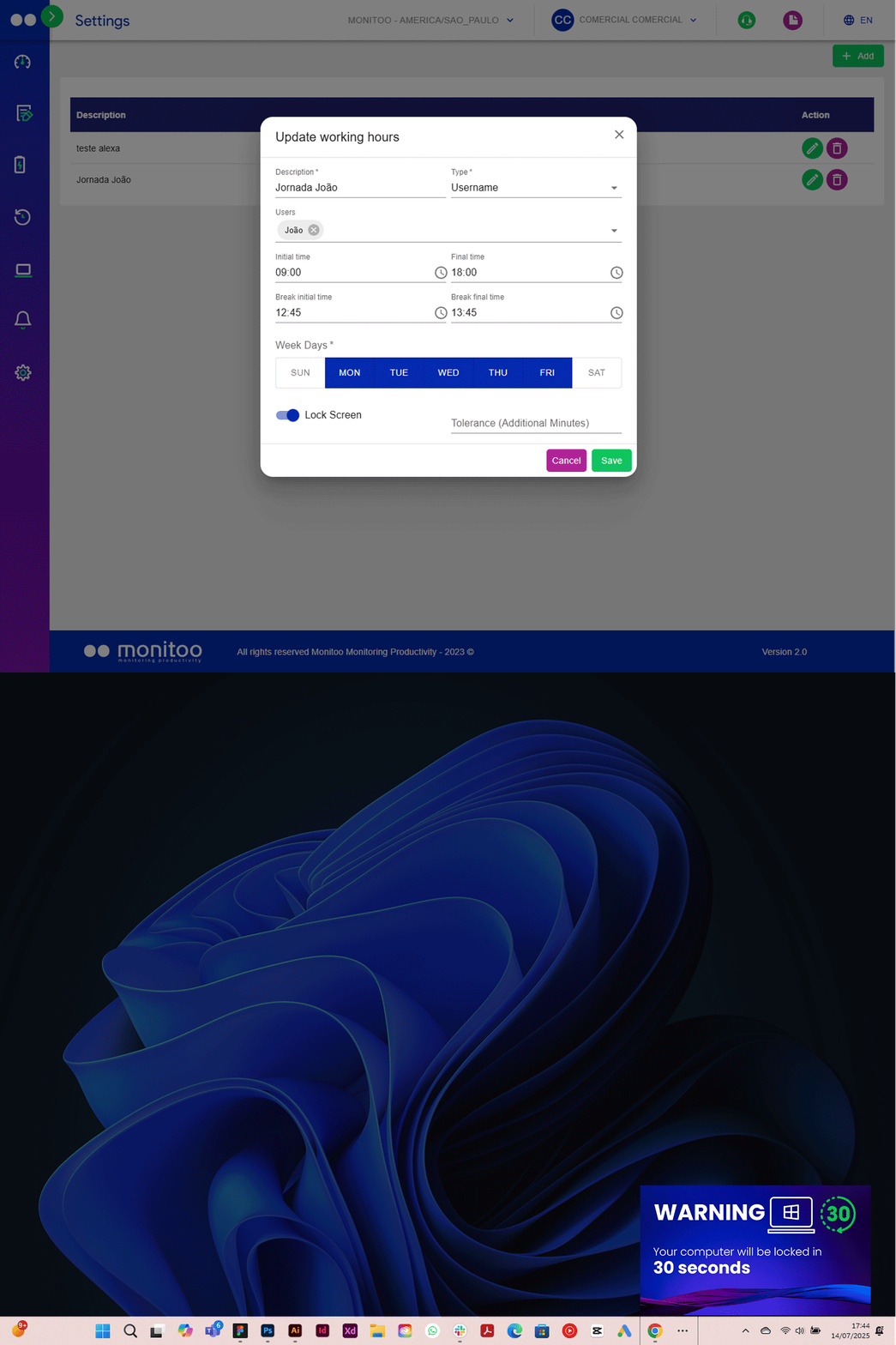
Set work schedules and enable screen lock: at the end of the shift, a warning is shown before the computer screen locks automatically.
25
Overtime Approval via WhatsApp
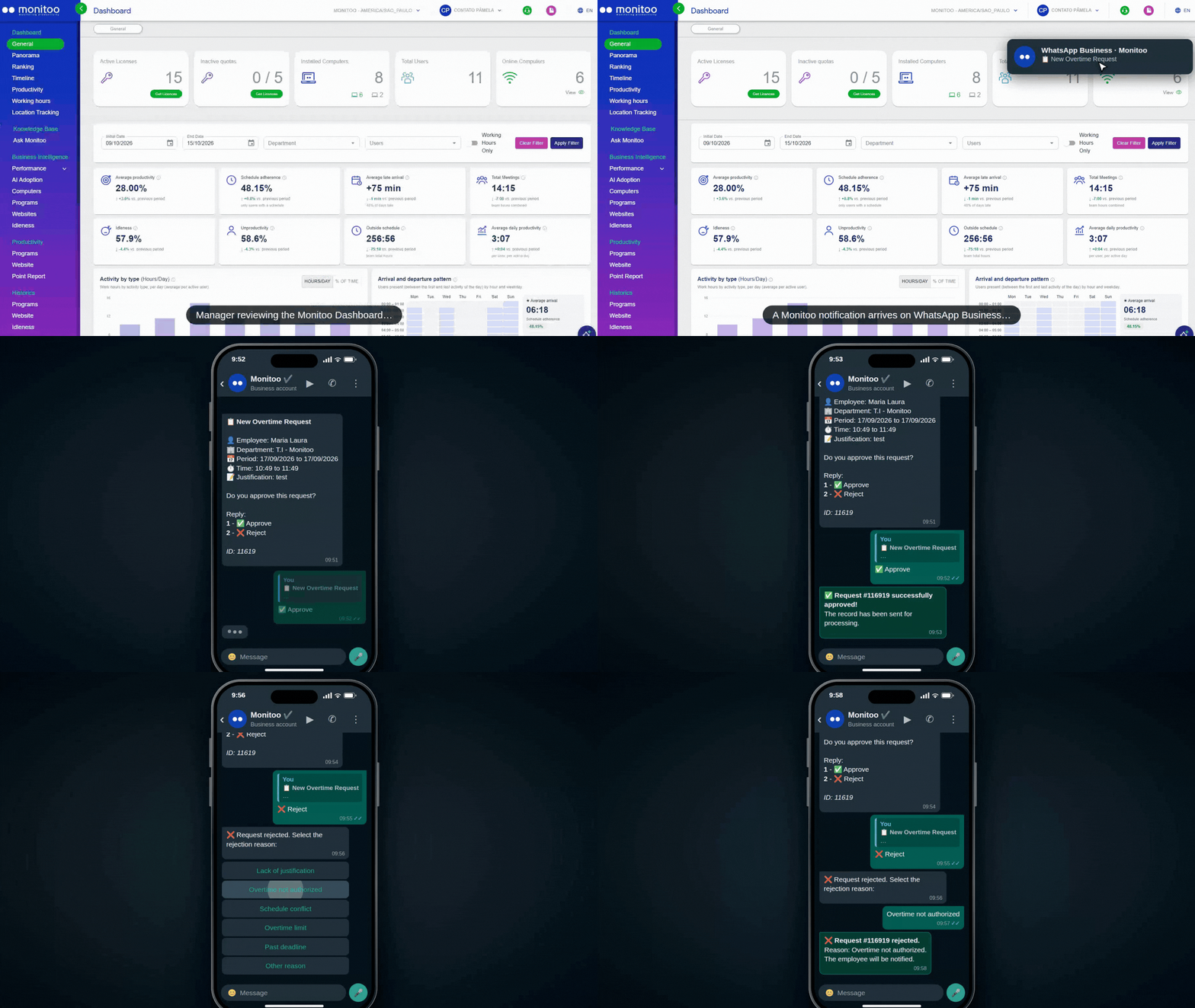
With Monitoo, managers can receive overtime requests and approve or reject them directly through WhatsApp, quickly and easily, without needing to access the portal for each request.
Data Integration API
26
Data Integration API
27
History of Websites and Programs Accessed
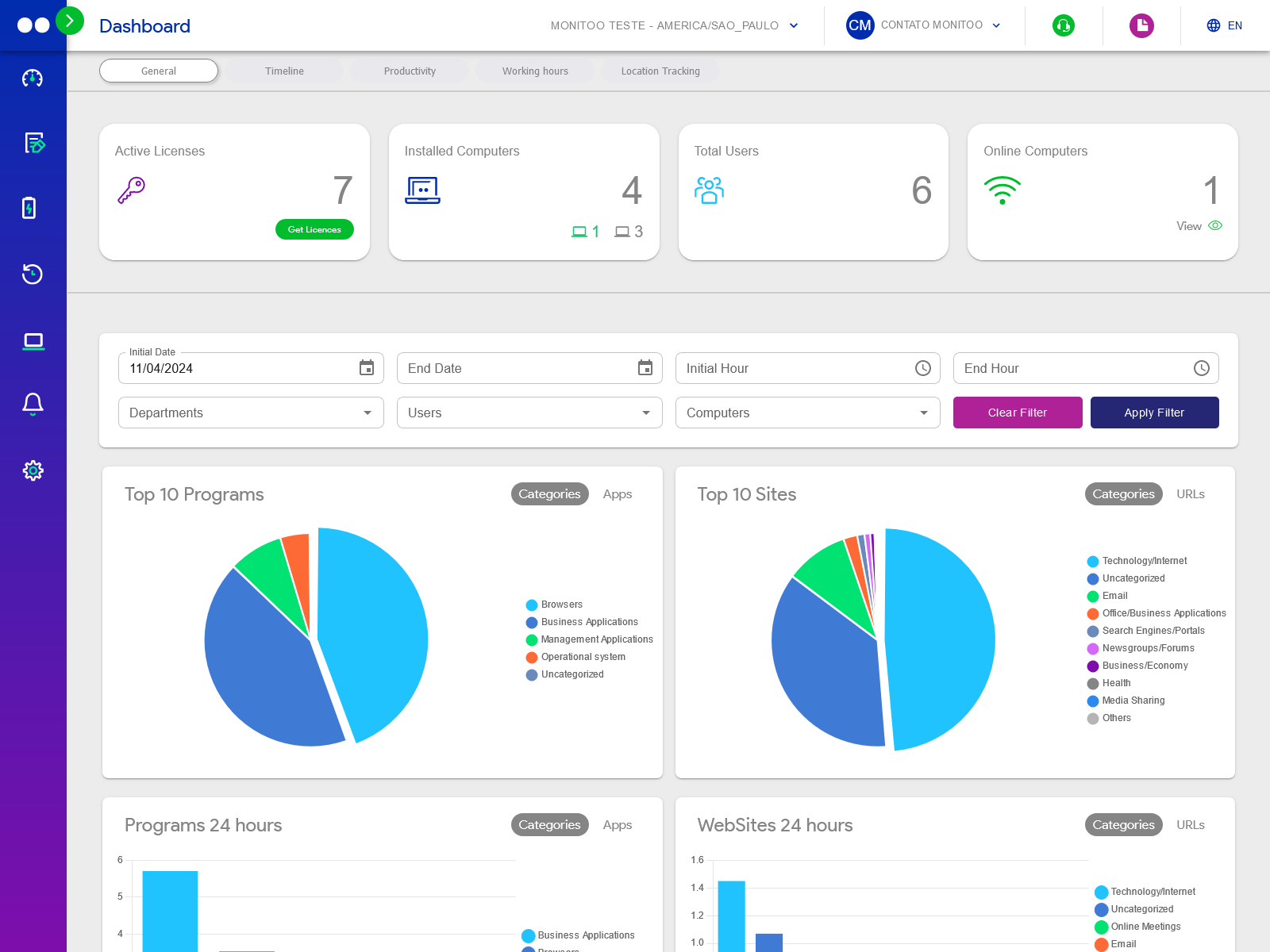
Track the most used websites and programs by your team, with charts and detailed reports to spot usage patterns and potential distractions.
Up to 100 Users
28
Up to 100 Users
29
Employee Idleness Control
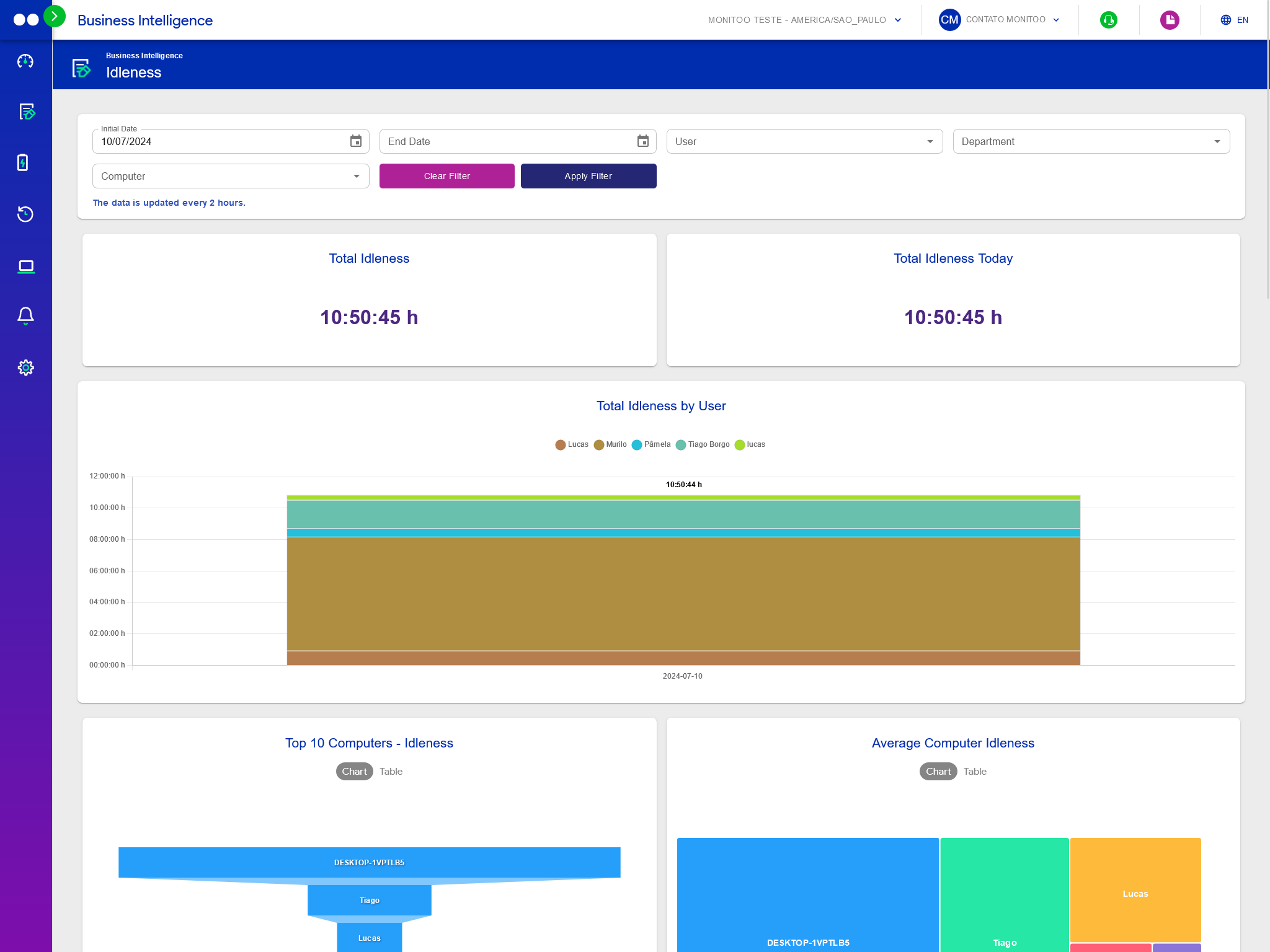
Tracks how long computers stay on without productive use, by user and by device.
Automated ranking of websites and apps
30
Automated ranking of websites and apps
31
Blocking Unproductive Sites
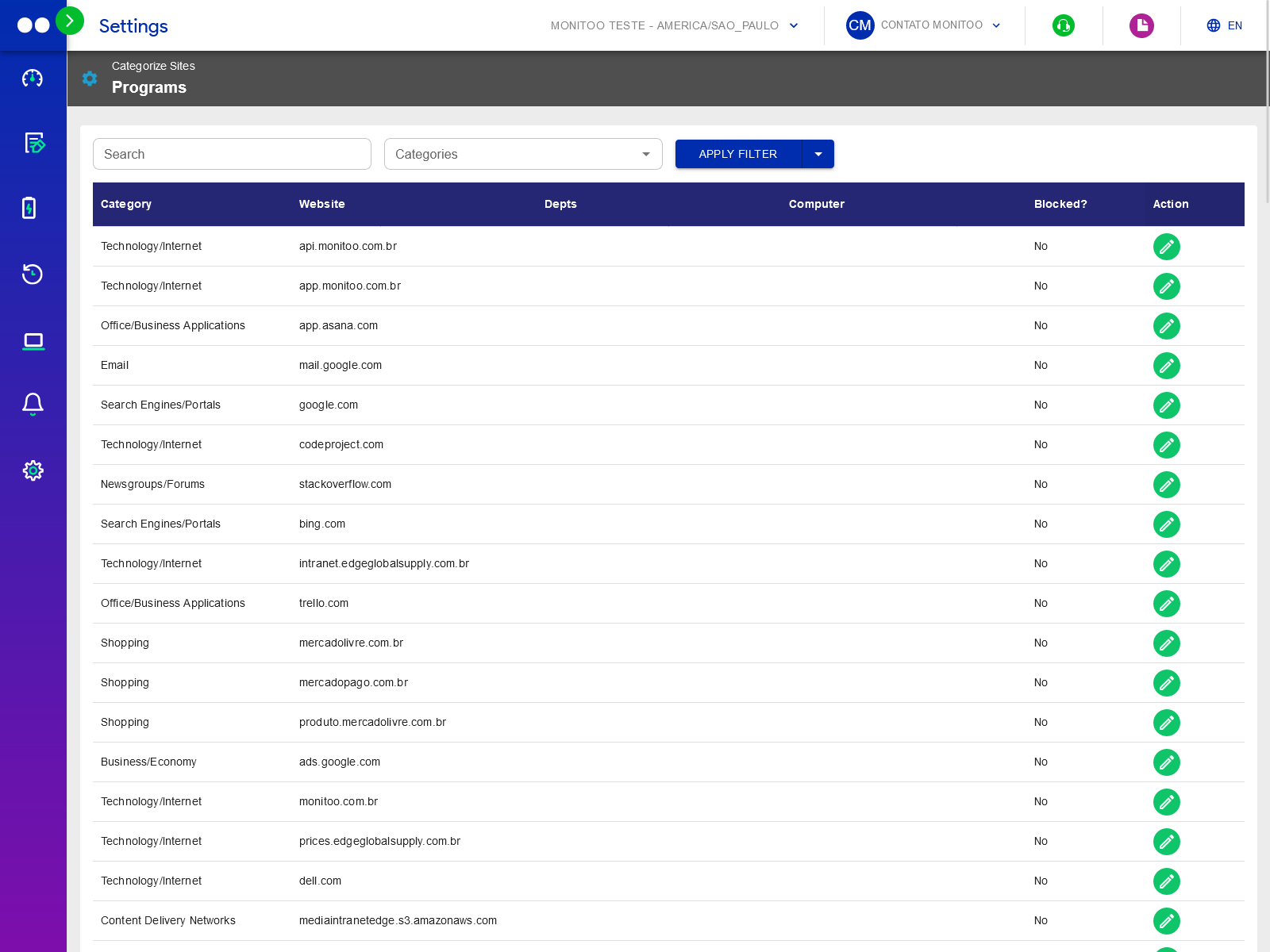
Allows identification and blocking of websites that reduce workplace productivity.
Custom Dashboards
32
Custom Dashboards
33
Productive, Unproductive, and Idle Hours
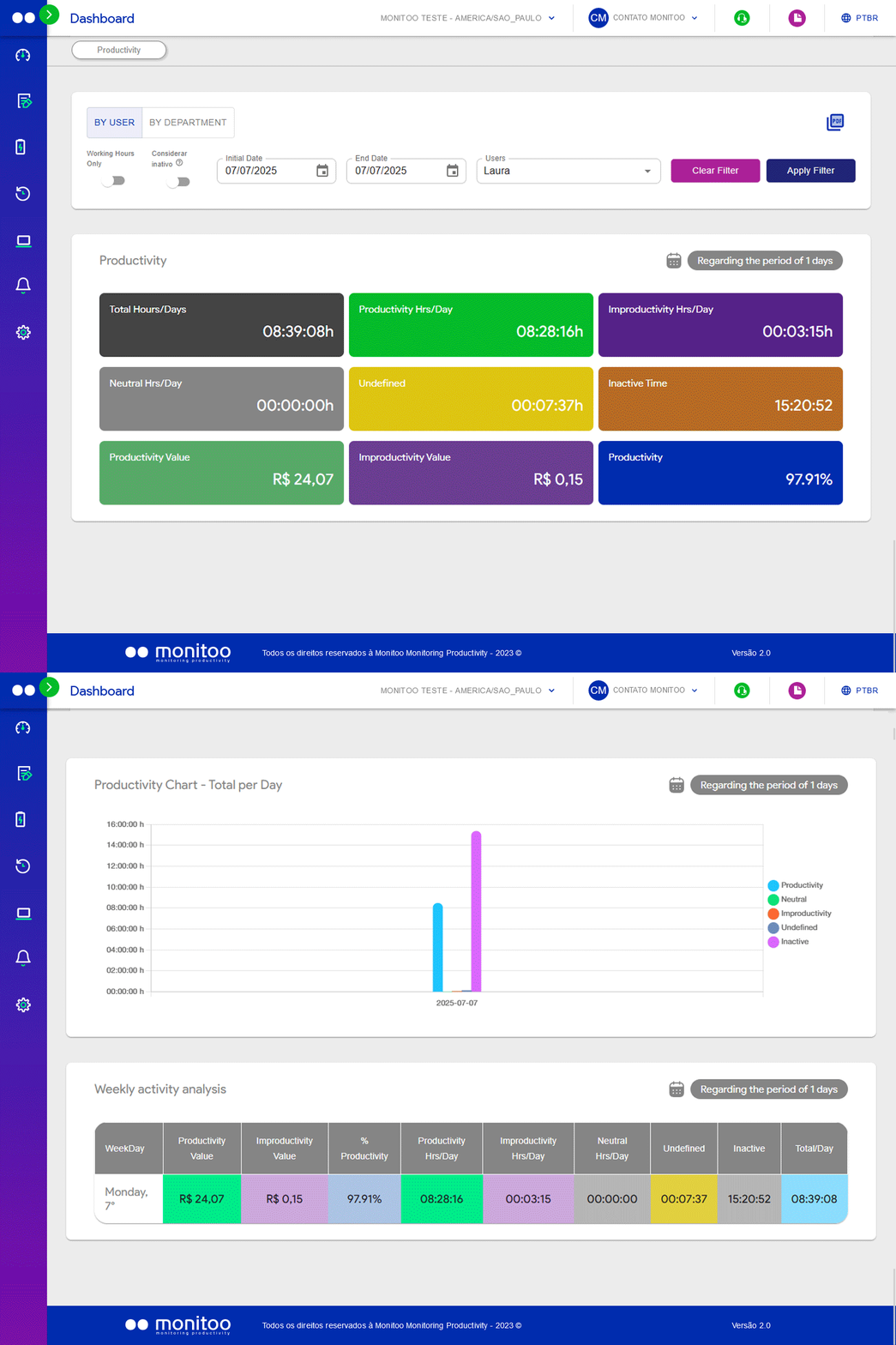
Records total working hours, highlights productive time, and shows when the employee turned on the computer.
Functions of Other Packages
34
Functions of Other Packages
35
Advanced Productivity Management
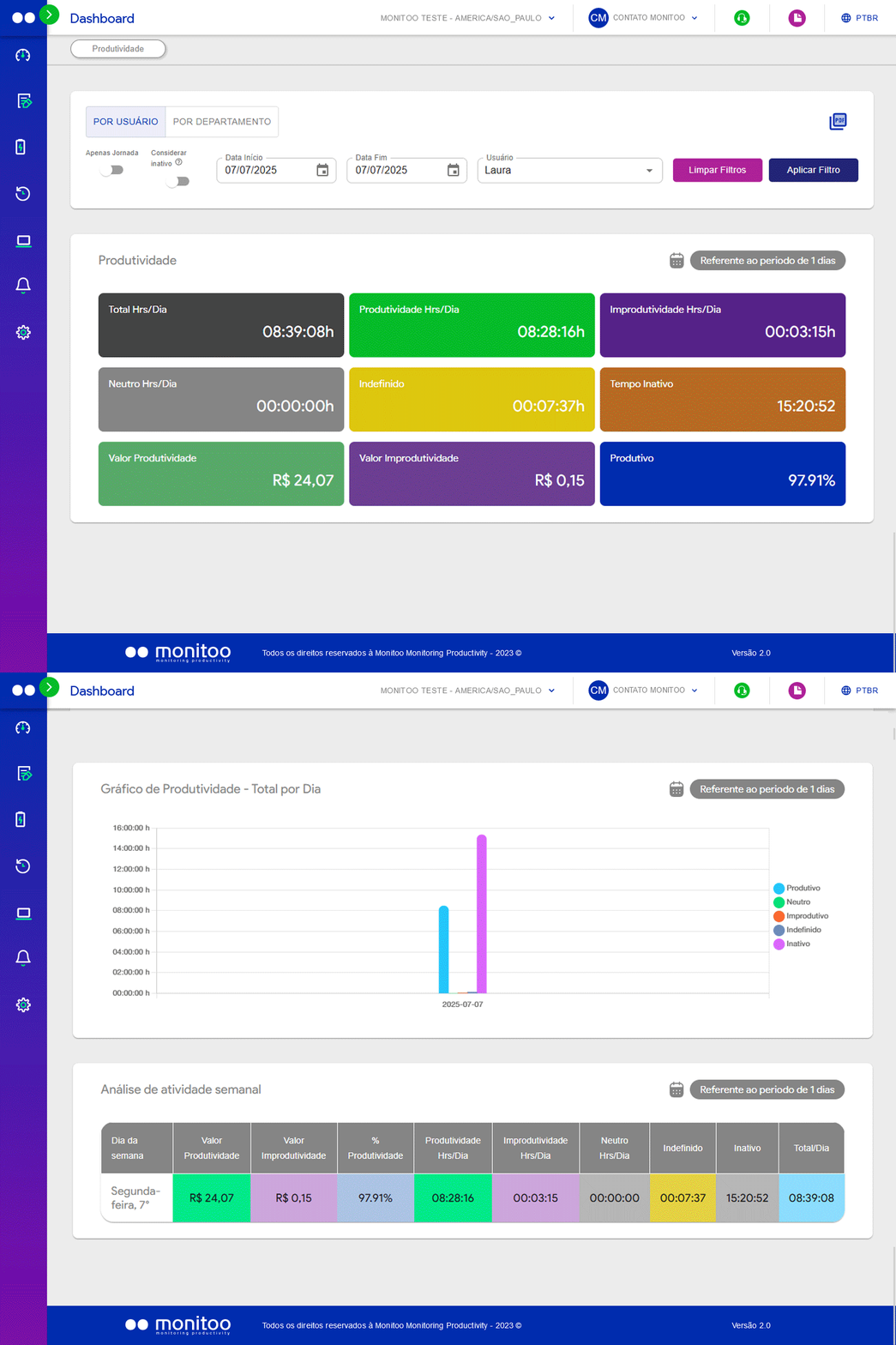
Displays detailed daily productivity metrics, including productive, unproductive, and inactive hours, plus financial values, enabling fast, strategic decisions.
Data history
36
Data history
37
Employee Activity Timeline
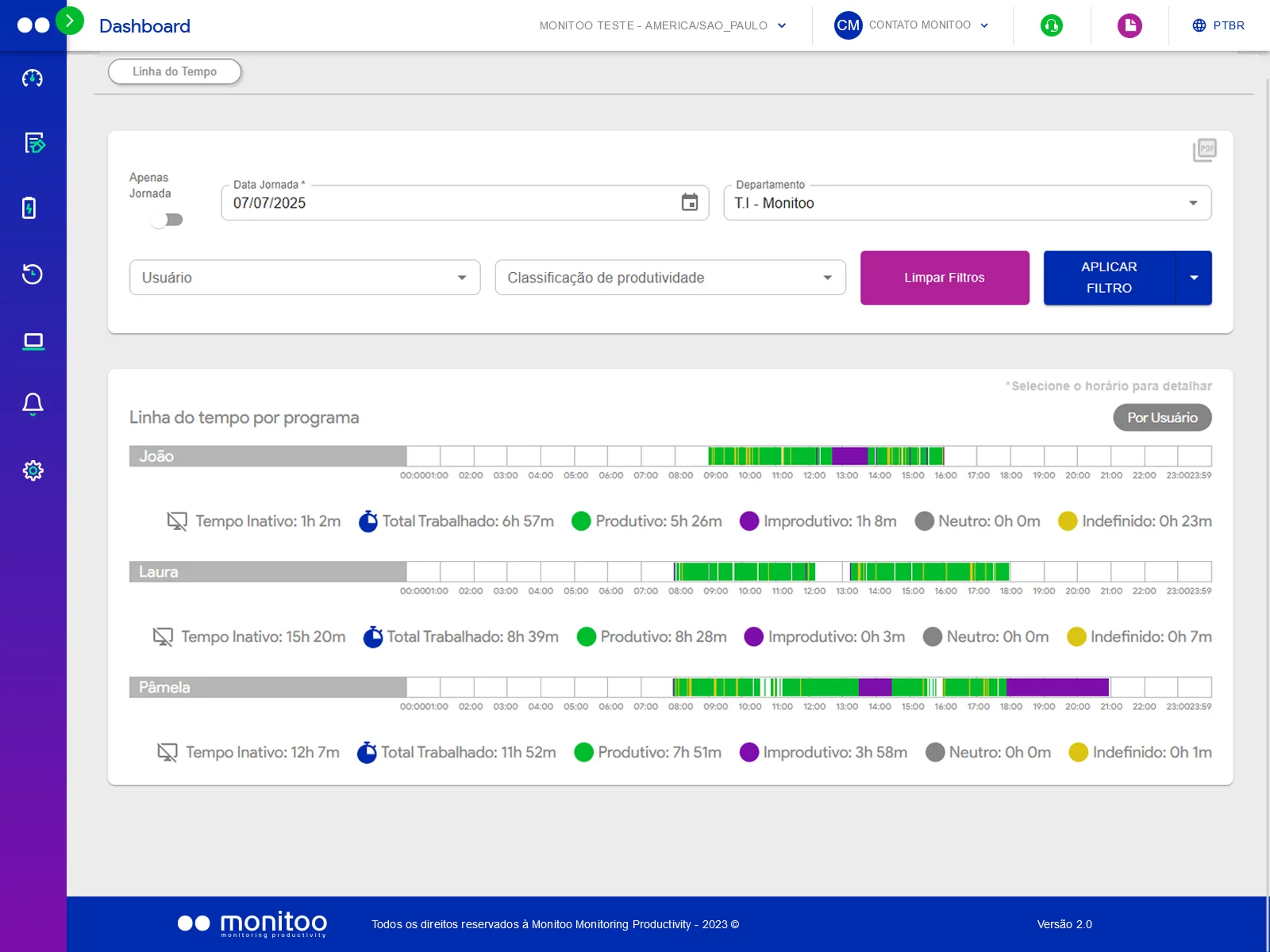
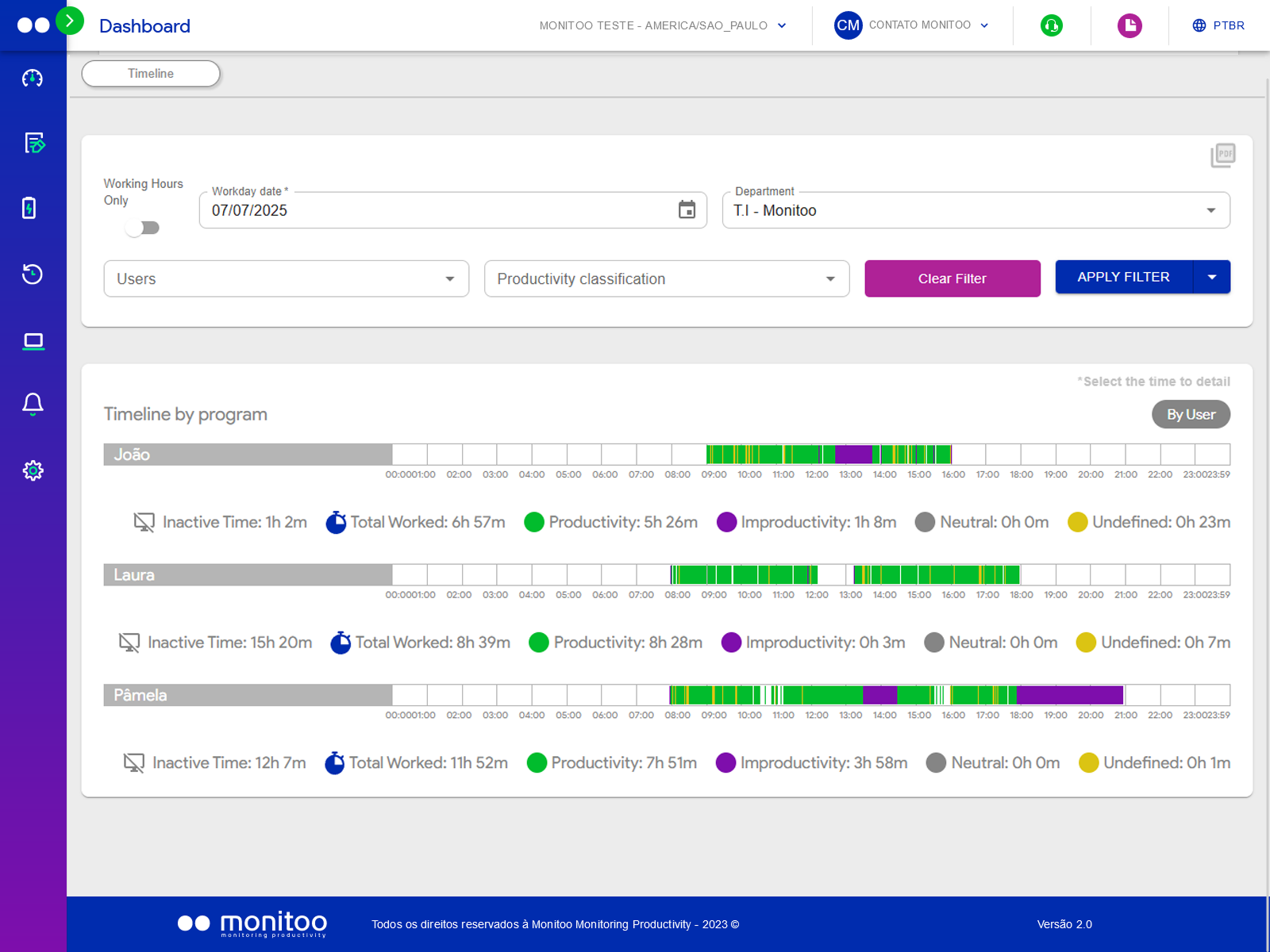
Displays employees’ daily activities on a timeline, classified by type (productive, unproductive, inactive, undefined).
Remote installation
38
Remote installation
Integration with Systems (Additional Cost)
39
Integration with Systems (Additional Cost)
Integration of your Systems (Additional Cost)
40
Integration of your Systems (Additional Cost)
Licença Power BI Inclusa
41
Licença Power BI Inclusa
Minimum 10 Users
42
Minimum 10 Users
Monitoo Dashboard Analytics
43
Monitoo Dashboard Analytics
Active Monitoring
44
Active Monitoring
User activity dashboard
45
User activity dashboard
Main BI Dashboards
46
Main BI Dashboards
Excel Report
47
Excel Report
Top Categories Report
48
Top Categories Report
Working hours report
49
Working hours report
Top Apps Report
50
Top Apps Report
Productivity report
51
Productivity report
Website accessed report
52
Website accessed report
No User Limit
53
No User Limit
Support via Email 8 x 5
54
Support via Email 8 x 5
24x7 Email/Telephone Support
55
24x7 Email/Telephone Support
Power BI Templates Included
56
Power BI Templates Included
All Functions of Other Packages +
57
All Functions of Other Packages +
60 days - Data History
58
60 days - Data History
90 days - Data History
59
90 days - Data History
180 days - Data History
60
180 days - Data History
What sets us apart
What only Monitoo delivers
01
Labor risks
Six exposure indicators: outside the schedule without coverage, Sundays, days over 10 hours, average lateness and activity outside clocked hours.
Liabilities show up on the dashboard before they show up in a lawsuit.
02
Market benchmark
Compare your company with the median of other companies across 12 indicators, using anonymous data and a minimum of 8 companies.
Your numbers gain an external reference.
03
AI adoption
Who uses each AI tool, at what stage (no use, exploring, regular, integrated) and the effect on productivity.
Find out whether your AI investment has turned into results.
04
Ask Monitoo
Type your question in plain language ("which department had the most lateness this month?") and get the answer with numbers.
Analysis in seconds; the AI never sees people's names.
Monitoring, not surveillance
Clear rules, minimal data and configurable retention: clarity for managers without a surveillance culture.
AI with nicknames
Names are replaced with nicknames before reaching the AI, and the AI has no access to the database.
Audit trail
Sensitive operations are logged, and data is deleted after cancellation.
Also included: website blocking by keyword, data stored offline (the agent sends it when the connection is back) and where each person works (office, remote or hybrid).
Prices · Productivity module
The best value in work intelligence
Free trial for 7 days on up to 5 computers
Set up in minutes
No credit card required
No cancellation fees or lock-in on the monthly plan
Save 20% on the Annual Plan. The prices above are for the Productivity module. Monitoo Hub (IT management) and Monitoo Ponto (time tracking) are sold separately.
Also check out Monitoo Hub and Monitoo Ponto.Monitoo Hub: from $2.39 per computer/month · Monitoo Ponto: Free up to 20 employees
See Monitoo in action. This video shows how our platform helps you track productivity, improve performance, and respect employee privacy — all in one place.
How to Install Monitoo
Set up Monitoo fast — no IT team needed. This step-by-step video walks you through the full installation so you can start tracking team productivity in less than 5 minutes.
How to Start a Free Trial
Ready to explore Monitoo risk-free? Learn how to activate your free trial in just a few clicks. No credit card. No commitment. Full access